 Offline

The application can identify the vehicle based on only part of the registration of cars.
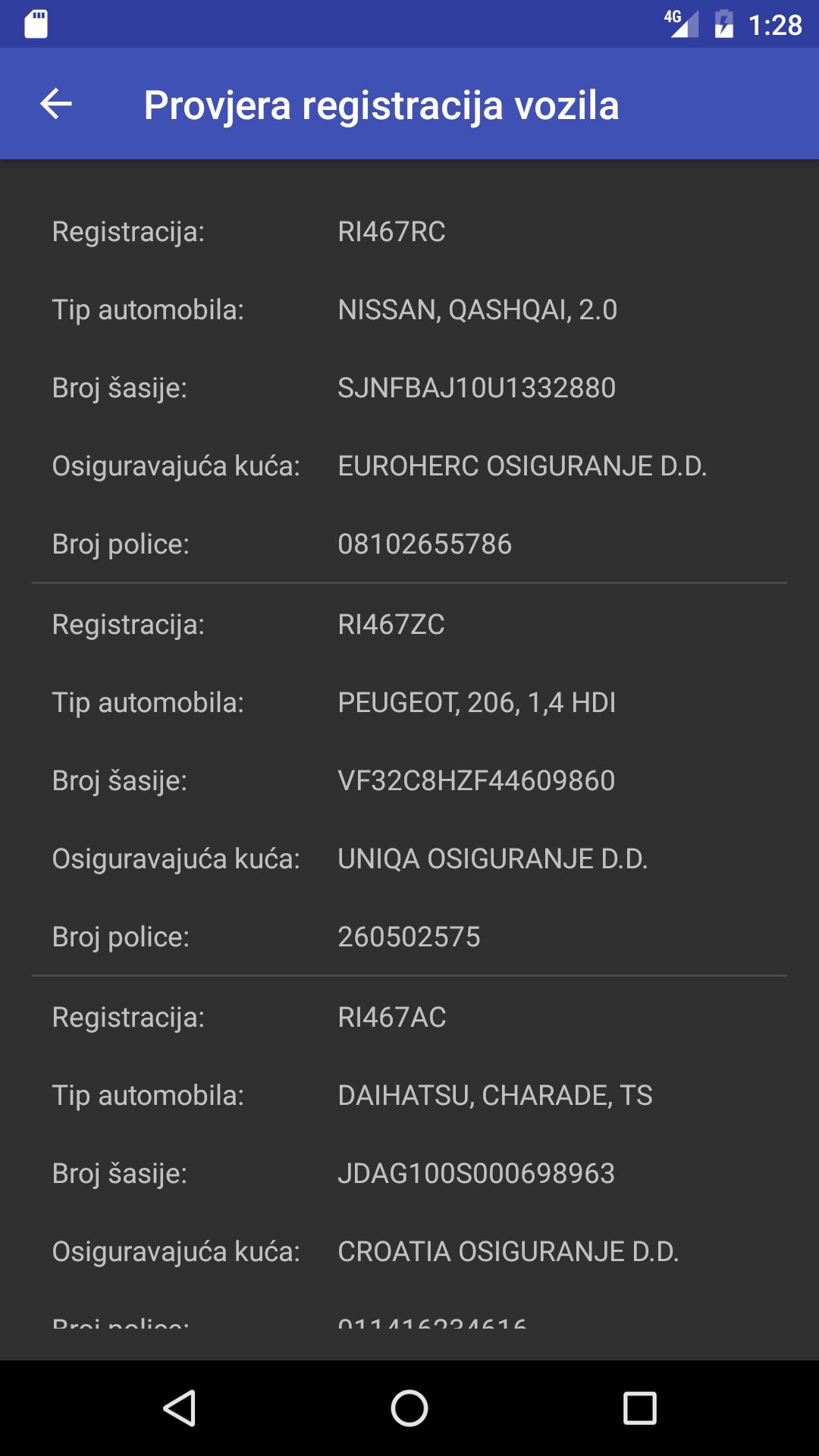
This application enables the identification of vehicles insured in the territory of the Republic of Croatia based on their registration marks. In the output printout, data on the car type, chassis number, insurance company and insurance policy number are available.
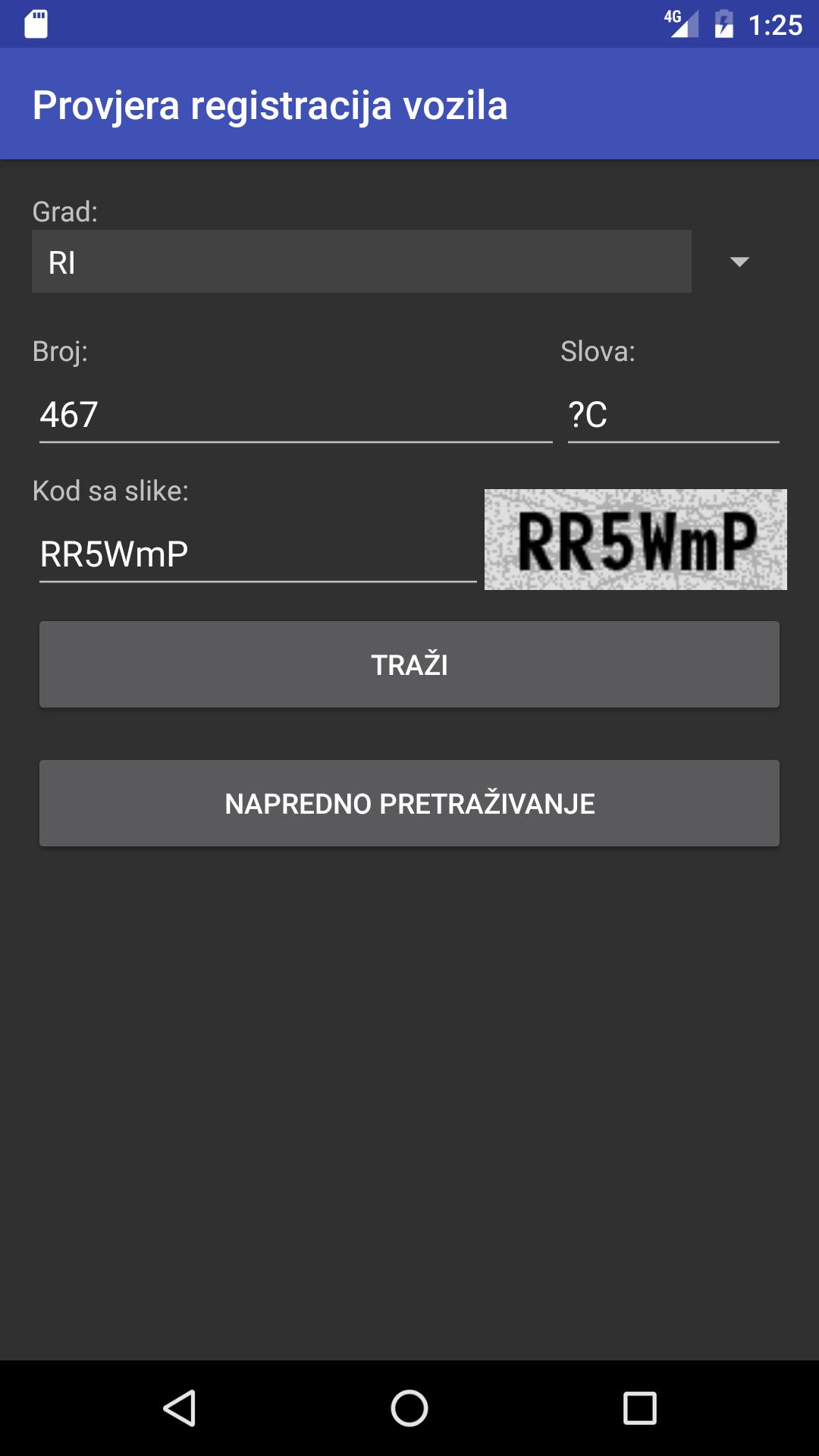
The application has two operating modes: basic (simple) search and advanced search.
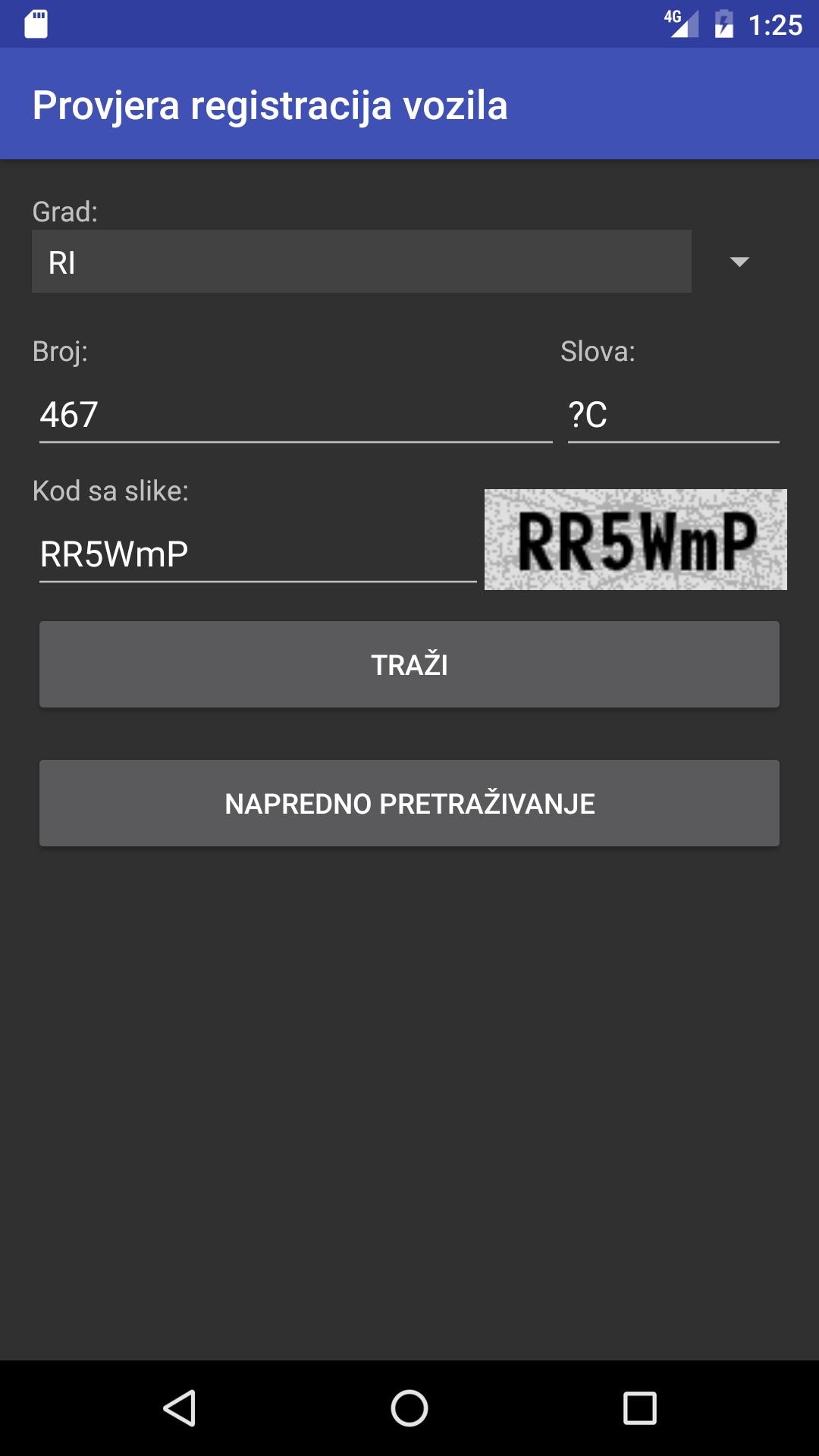
BASIC SEARCH will find the vehicle data for the entered registration number and print it as a result of the search. The advantage over some earlier applications is that this application also allows the use of an unknown character (so-called wildcard) in place of one character. In the place of an unknown number or letter in the registration, a question mark (?) is entered. The result will list all vehicles that have a sign in the registration at that location.
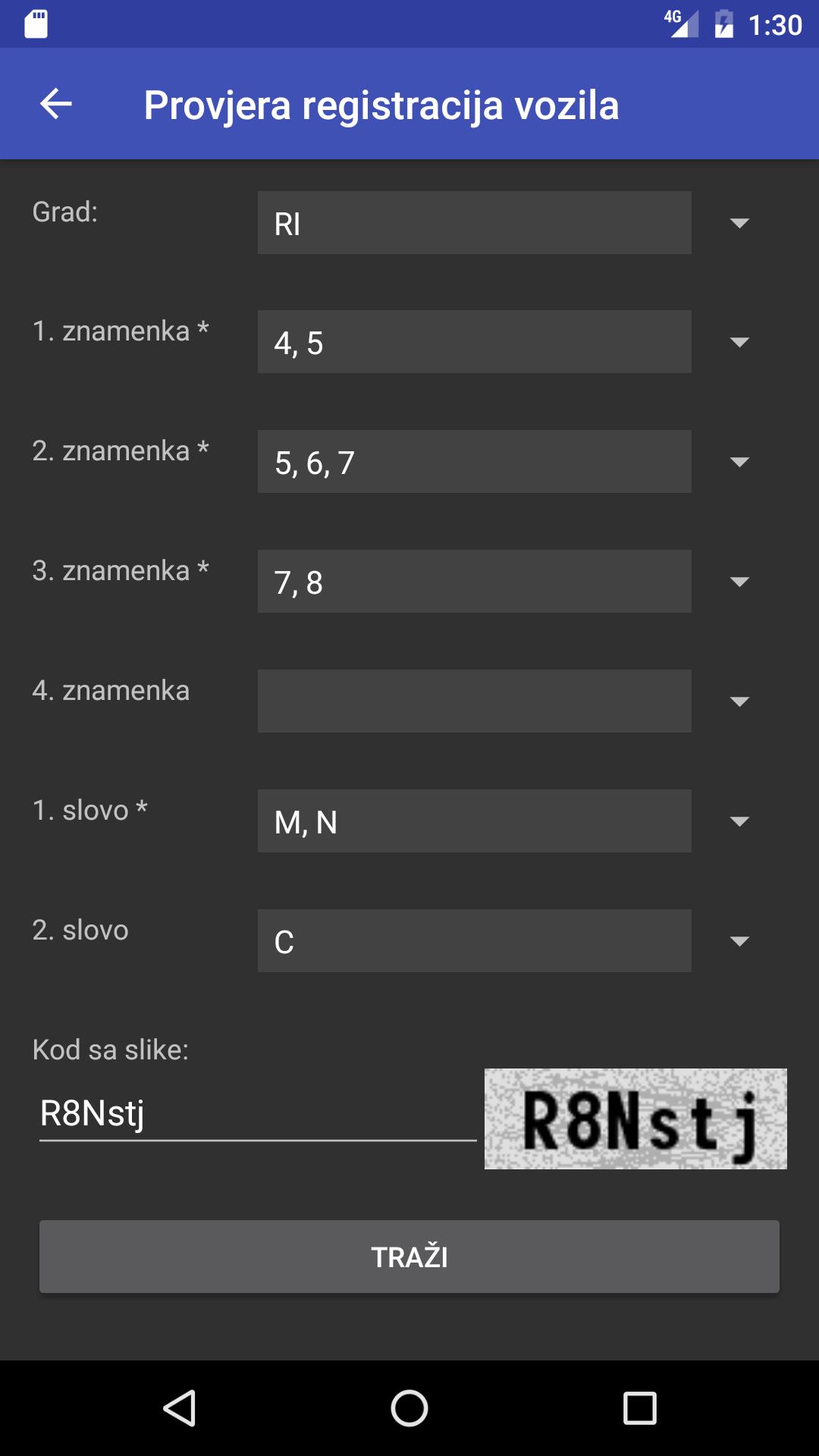
ADVANCED SEARCH allows even more freedom in asking questions, i.e. search registrations when unknown and more than one character. In this mode, for each place in the registration mark (be it a number or a letter), multiple possibilities can be selected (eg several numbers that we think are likely at that place in the registration). After the search, the result will list all vehicles that meet any of the possible combinations.
As in the case of marking multiple characters at each position in the registration mark, the number of possible combinations can increase significantly, thus significantly increasing the duration of the search, the application calculates the total number of combinations that need to be examined and before starting the search informs the user and gives the user the option to give up (and simplify the query) or start the search. After starting the search, the screen shows a counter that shows how the search is progressing, i.e. how many more combinations are left to examine.
Although the application is very easy to use and intuitive, the "Help" option is available to users in the upper right corner of the application window, which contains short instructions for use.
Particular attention should be paid when entering the code that is required before starting the search: the code should be entered exactly as it is stated, i.e. you should pay attention to upper and lower case letters because otherwise the entered code will not be interpreted correctly and the result will return no vehicles found!
And an important note: it has been observed that on some mobile phones the "simple" interface does not work smoothly in such a way that it does not allow the entry of either the number of the registration mark or the security code, which in the end, even if it succeeds, may lead to no results being found. The problem can be circumvented by using the "advanced" search instead of the "simple" interface (ie basic search).
Get free Primogems, Mora, Experience, and more with these November 2024 Genshin Impact codes, 5.1 livestream codes, and find out how to redeem active codes.
If you are bored with playing the vanilla version of Metaphor ReFantazio, you can check out these five mods.
Struggling with your submissions for Roblox's The Haunt event in 2024? Check out our guide on using Dress to Impress to create your captures!
Our walkthrough for Dragon Age: The Veilguard with some handy tips and tricks, with guides for puzzles, bosses, companions, equipment, romance, and more!
Which faction should you pick in Dragon Age: The Veilguard?
Looking for some bonus resources in Sea of Conquest: Pirate War? We’ve got you covered with these codes for the latest seafaring freebies.
On our website, you can easily download the latest version of Provjera registracija vozila! No registration and SMS required!