Offline

Iron Man inspired Lock Screen, easy to use, live, secure & highly customizable
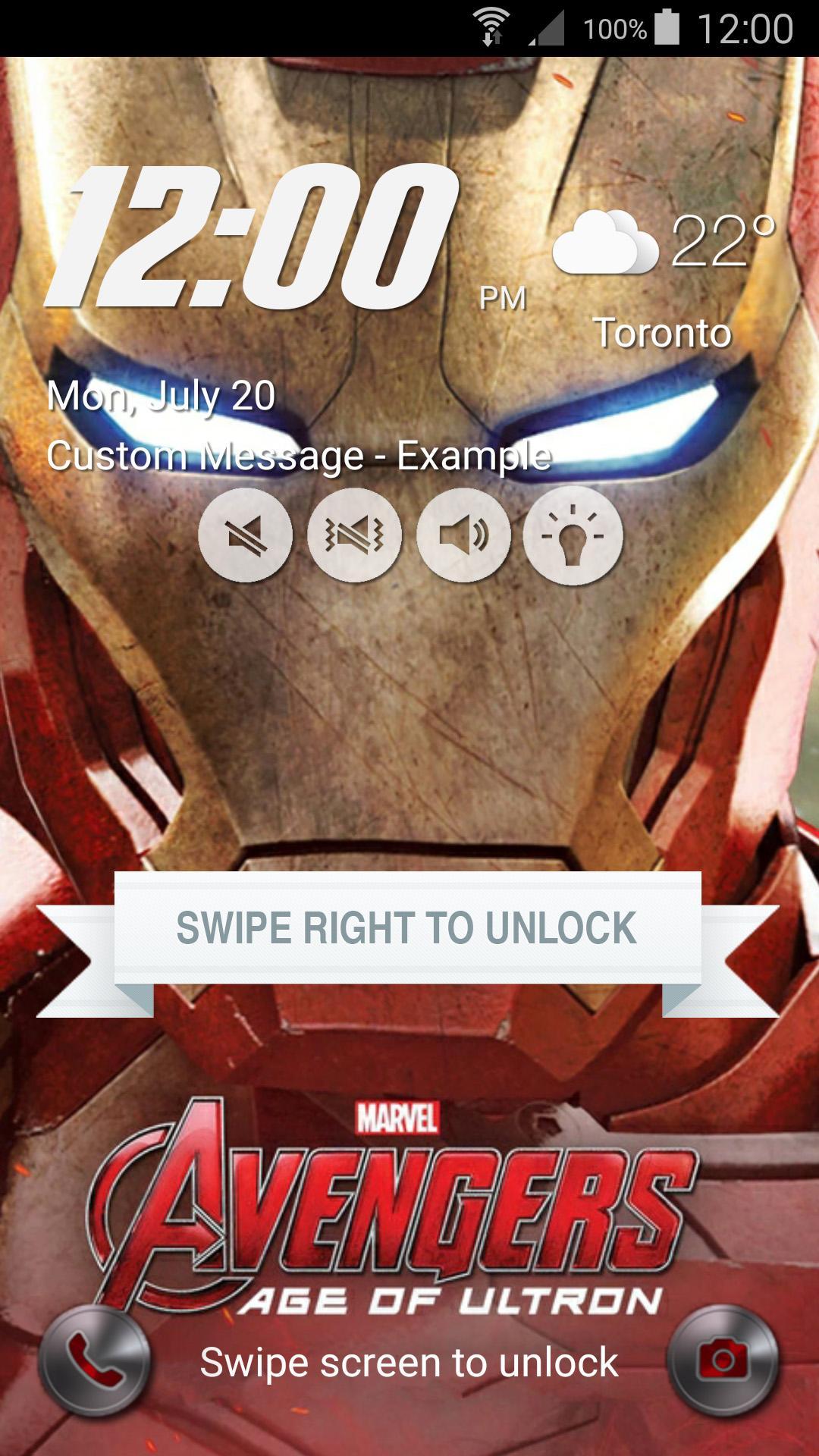
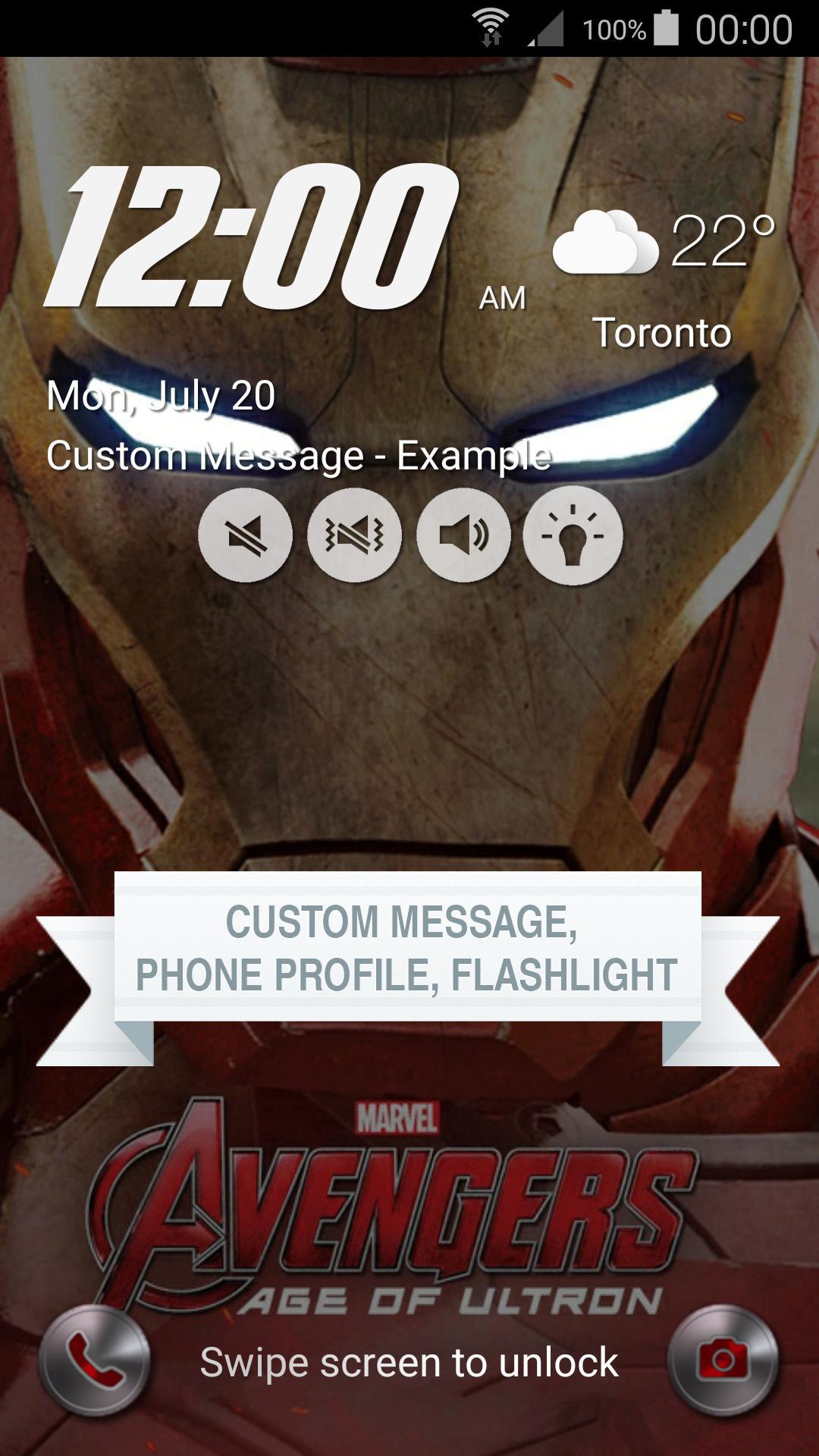
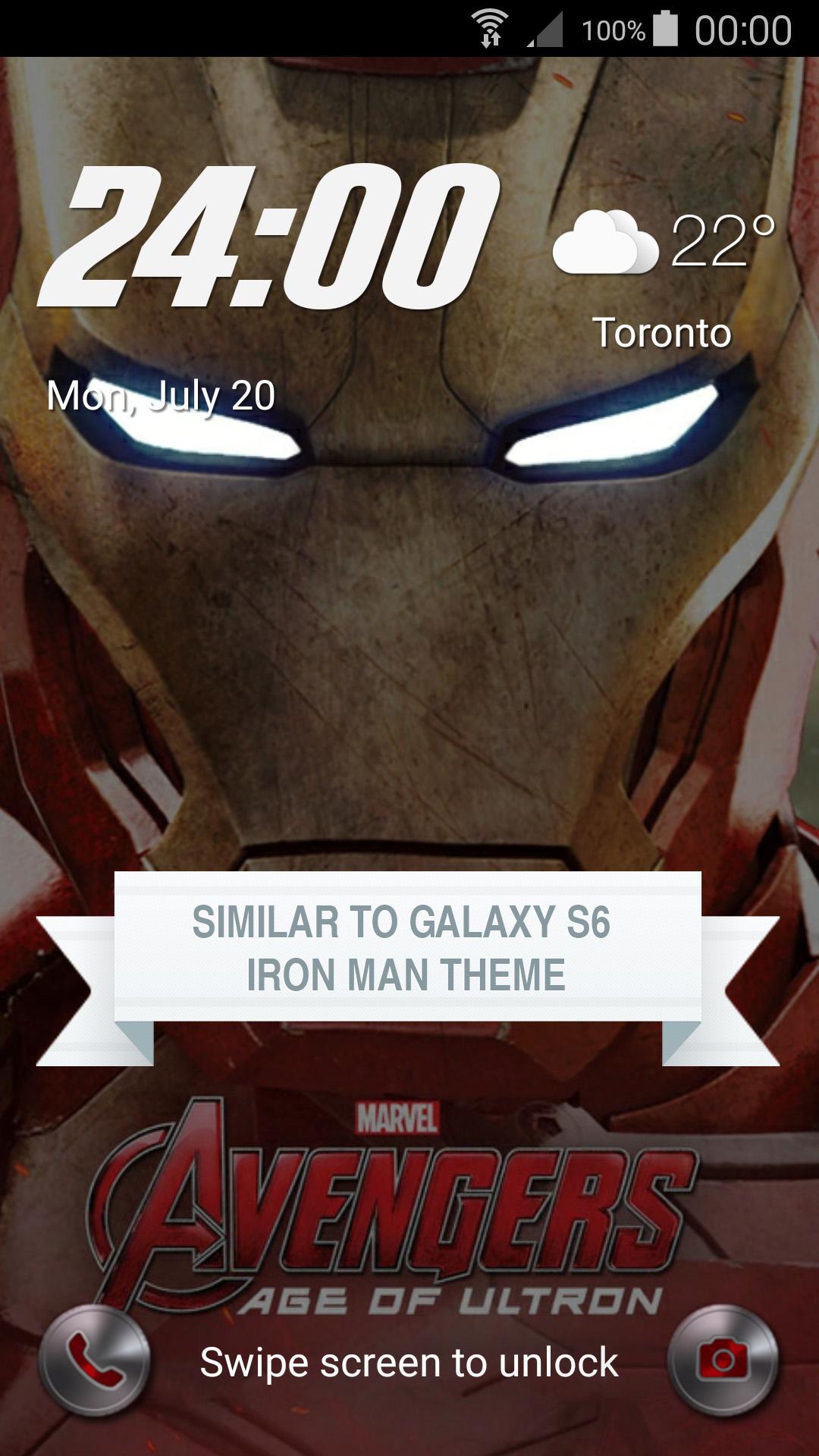
Iron Man inspired Lock Screen Theme for Galaxy S6 and Galaxy S6 Edge is a wonderful Galaxy S6 Edge Launcher Screen Locker with Iron Man theme and custom wallpapers. It is beautiful, secure, highly customizable and easy to use.
Iron Man inspired Lock Screen Theme for Galaxy S6 and Galaxy S6 Edge application features:
1. High quality Iron Man wallpaper along with the feature to change to any wallpaper user chooses.
2. Swipe to easily unlock your phone with exquisite animation and sound just like in Iron Man Galaxy S6 Edge Lock Screen Theme.
3. Accurate Weather information for current city, including temperature and weather icon.
4. Current Time (12 hours and 24 hours), Day, Month and Date all on one screen just like in the Iron Man Lock Screen Theme.
5. Emergency Call button with Iron Man design - Press to open Emergency dialer application.
6. Camera button with Iron Man design - Press to launch Camera application.
7. Swipe to unlock has beautiful animation giving it an original look.
8. Iron Man beautiful wallpapers included.
9. Display Custom message on Lock Screen. (Pro version only)
10. Change phone profile to Mute, Vibrate or Normal mode from Lock Screen without having to unlock your phone. (Pro version only)
11. Switch Flashlight on and off from the Lock Screen itself without having to unlock the phone. (Pro version only)
12. Parallex Effect for the background adds a cool effect to the Lock Screen. (Pro version only)
13. Option to use device's background. (Pro version only)
9. Set Pin and Password via Keypad Lock Screen and Face detection to enhance the security Lock of your phone. (Coming soon)
How to Use:
1. Launch the application - Iron Man Galaxy S6 Lock Screen.
2. Disable any screen lock by selecting screen lock as None.
3. Swipe left and right to open menu.
4. Customize lock screen from the Design screen.
5. Tap on 'Enable Lockscreen' to start the Iron Man Galaxy S6 Lock Screen.
Device compatibility:
Our lockscreen has been tested on latest devices such as Samsung Galaxy S6, Samsung Galaxy S6 Edge, Samsung Galaxy S5, Samsung Galaxy S4, Samsung Galaxy S3, Galaxy Note 4, Galaxy Note 3, Nexus 7, Nexus 6, Nexus 5, HTC One and Sony Xperia Z4. Please contact us if your device is not supported.
The wallpaper and the icons used belong to SAMSUNG ELECTRONICS CO., LTD. All copyrights to those images belong to SAMSUNG ELECTRONICS CO., LTD. This app is just inspired by SAMSUNG ELECTRONICS CO., LTD's work.
Get free Primogems, Mora, Experience, and more with these November 2024 Genshin Impact codes, 5.1 livestream codes, and find out how to redeem active codes.
If you are bored with playing the vanilla version of Metaphor ReFantazio, you can check out these five mods.
Struggling with your submissions for Roblox's The Haunt event in 2024? Check out our guide on using Dress to Impress to create your captures!
Our walkthrough for Dragon Age: The Veilguard with some handy tips and tricks, with guides for puzzles, bosses, companions, equipment, romance, and more!
Which faction should you pick in Dragon Age: The Veilguard?
Looking for some bonus resources in Sea of Conquest: Pirate War? We’ve got you covered with these codes for the latest seafaring freebies.
On our website, you can easily download the latest version of Lock Screen inspired Iron Man! No registration and SMS required!
![RPG Next [En]](https://images.83651.net/uploads/20260515/logo_6a068b0dc40e11.jpg)