 Offline

UCOPIA mobile application allows you to connect to a Wi-Fi network
The UCOPIA Android Application allows you to connect to a UCOPIA Wi-Fi network in a very simple way, as long as you know your connection credentials. This application is compatible with the latest versions of the UCOPIA controller (from version 4.2).
Before using the UCOPIA application, please check the following items:
- The device must be set to Wi-Fi mode.
- The device must be associated to a Wi-Fi network (SSID), linked to a UCOPIA controller.
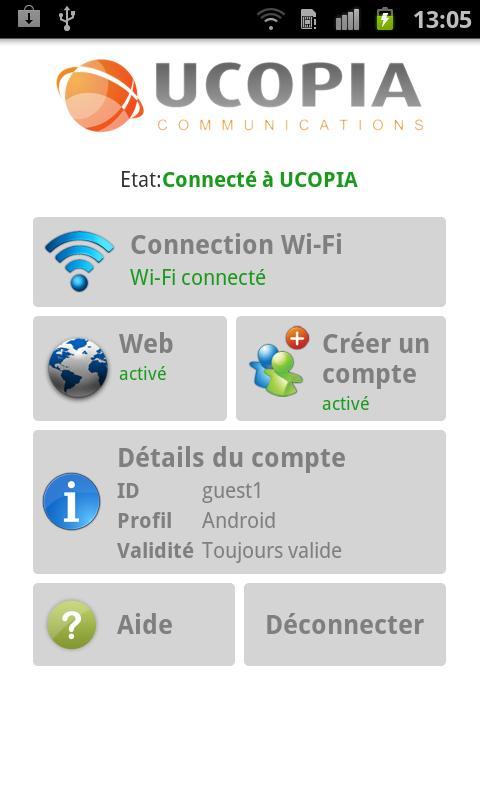
Once you are connected to the Wi-Fi network, simply run the UCOPIA Application. When opened for the first time, the Application will ask for your connection credentials (login and password). If they are correct, you will be authenticated and thus able to access your authorized services. This authentication request is only needed the first time you connect. Moreover, the UCOPIA Application will automatically fill in the right credentials according to the UCOPIA network you are connected to.
Once authenticated and connected, if you have delegated administrator rights, you will be able to create new user accounts and forward credentials to a third party, so he or she can then connect to the same network.
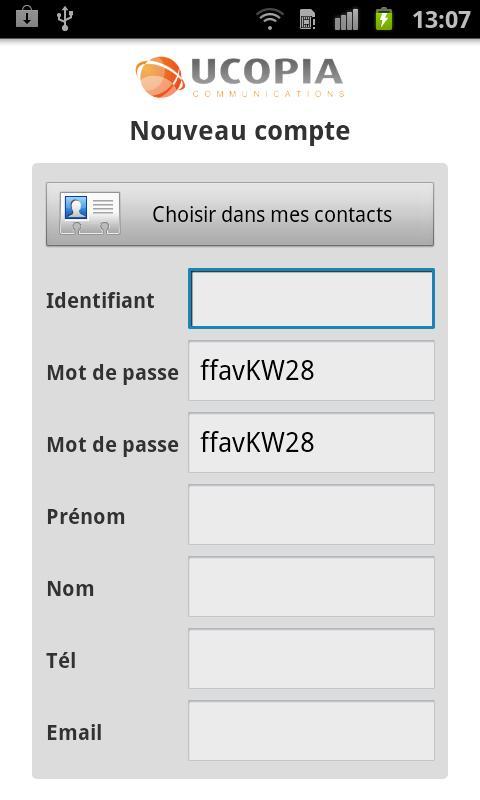
To create a new user account, please follow the steps below:
- Enter user information, such as surname, forename, etc. This information can be directly extracted from your Android contacts.
- Choose a profile from a set of profiles, in order to determine access rights.
- Specify the validity period, the time slots, etc. This step may be eliminated; and in this case, the user account is created using a predefined validity period.
- The user account is created in the UCOPIA controller.
- User credentials are sent by SMS or email.
Get free Primogems, Mora, Experience, and more with these November 2024 Genshin Impact codes, 5.1 livestream codes, and find out how to redeem active codes.
If you are bored with playing the vanilla version of Metaphor ReFantazio, you can check out these five mods.
Struggling with your submissions for Roblox's The Haunt event in 2024? Check out our guide on using Dress to Impress to create your captures!
Our walkthrough for Dragon Age: The Veilguard with some handy tips and tricks, with guides for puzzles, bosses, companions, equipment, romance, and more!
Which faction should you pick in Dragon Age: The Veilguard?
Looking for some bonus resources in Sea of Conquest: Pirate War? We’ve got you covered with these codes for the latest seafaring freebies.
On our website, you can easily download the latest version of UCOPIA! No registration and SMS required!