 Offline

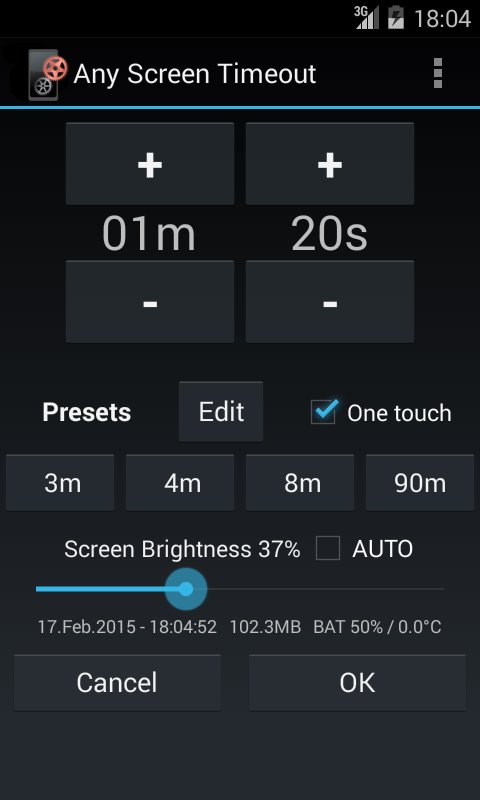
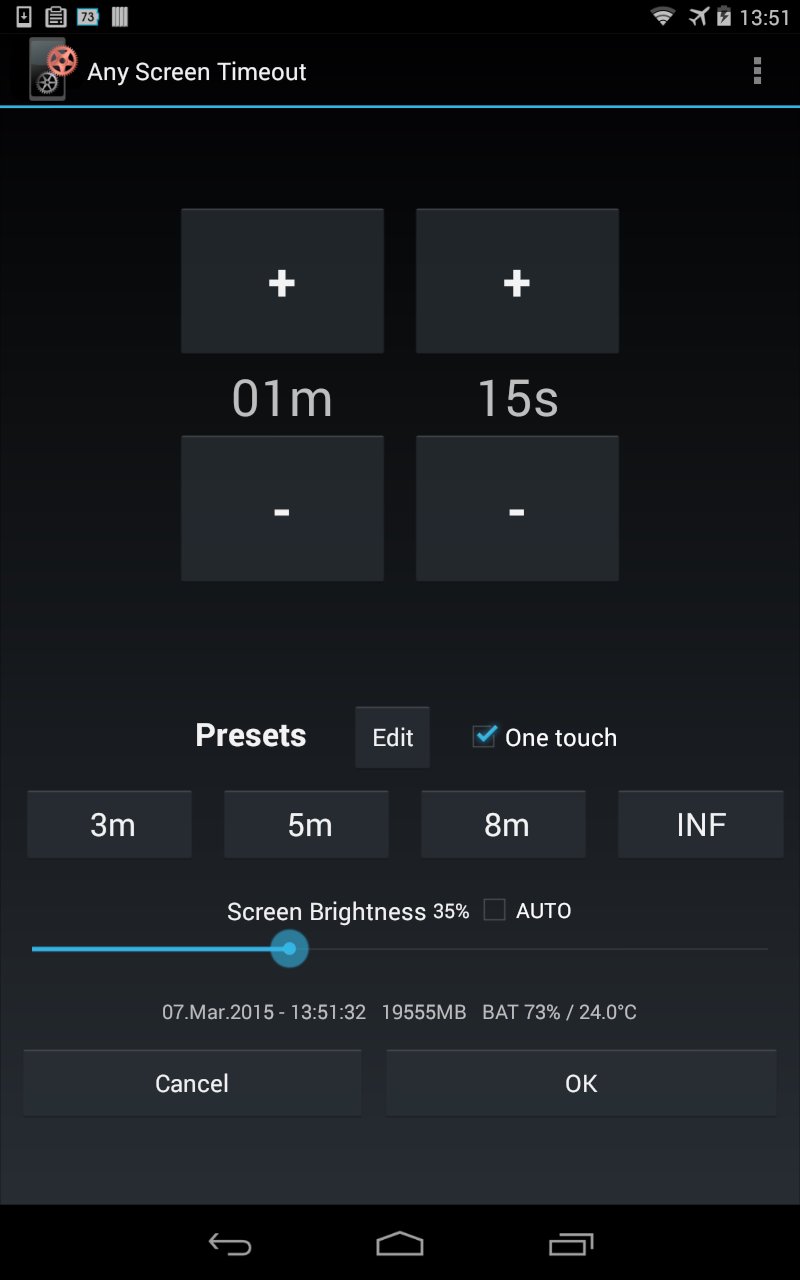
Set any time for the screen timeout. Set display brightness. Battery info shown.
Any Screen Timeout lets you adjust any time for the screen timeout after which the display will go to sleep. Are the on-board settings too limiting for you? Then this app is for you!
The timeout can be set to any value between 0 and 99m55s with a granularity of 5 seconds. Also, an infinite time can be set (INF). Note: the special android setting "screen never off" is not supported by Google anymore. So INF will simply be a very long time (about 25 days) which for most users will be practically equivalent to infinite.
Note: The Android operating system has a minimum screen-off-timeout limit. This limit is usually around 7 to 10 seconds depending on the device and/or Android version. There is no way around this (at least on unrooted devices). Nevertheless, Any Screen Timeout allows for lower settings for devices with a lower limit or in case that the minimum limit changes in future.
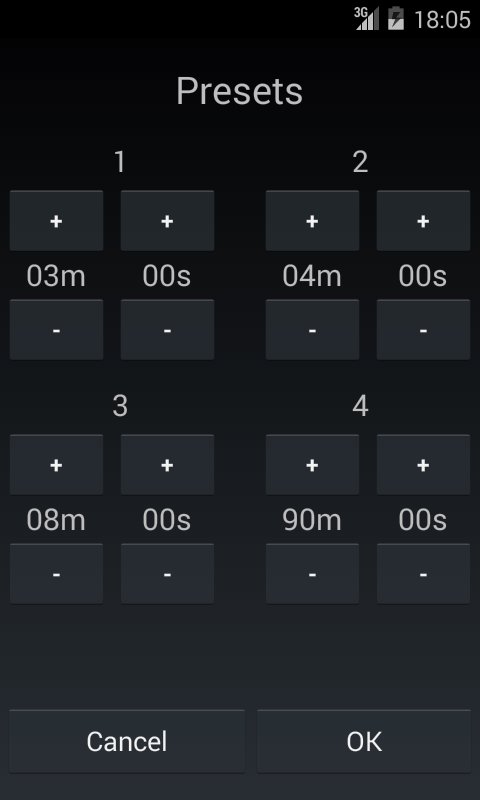
The user can define four custom timeout presets in order to change the screen timeout with just one touch.
Any Screen Timeout is a very small app and it does not run as a service. It merely changes the desired settings of your device and terminates transparently.
Extra features:
- A slider for Screen Brightness control
- A switch that controls the Screen Brightness Auto Mode
- Info line that shows the current time with seconds, available memory for application and battery charge level + battery temperature.
Any Screen Timeout is user friendly and it does not require any other permissions than the permission to modify the system settings.
This app is also available in a Plus-version (Any Screen Timeout Plus) with the following differences:
- NEW: Homescreen Widget!!!
- Range from 0 to 999m55s (instead of 0 - 99m55s)
- Auto repeat function for all +/- buttons
- Landscape support
- Ad-free
Get free Primogems, Mora, Experience, and more with these November 2024 Genshin Impact codes, 5.1 livestream codes, and find out how to redeem active codes.
If you are bored with playing the vanilla version of Metaphor ReFantazio, you can check out these five mods.
Struggling with your submissions for Roblox's The Haunt event in 2024? Check out our guide on using Dress to Impress to create your captures!
Our walkthrough for Dragon Age: The Veilguard with some handy tips and tricks, with guides for puzzles, bosses, companions, equipment, romance, and more!
Which faction should you pick in Dragon Age: The Veilguard?
Looking for some bonus resources in Sea of Conquest: Pirate War? We’ve got you covered with these codes for the latest seafaring freebies.
On our website, you can easily download the latest version of Any Screen Timeout! No registration and SMS required!