 Offline

A basic artificial intelligence that does what you need fast and efficiently.
AIDAN is an artificially intelligent data assistant designed to be a tool that you can use to navigate your phone faster without the hassle of slow response times or gimmicky gestures.
AIDAN is accessible. After her initialization, AIDAN is always available from the notification pull bar for quick access. You don’t have to rely on silly unnecessary gestures or voice commands to use her. She takes both voice and textual input – and not only this, but her correlative neural networking systems allow her to process commands without requiring special keywords. No need to teach AIDAN how to do something – she teaches herself when you first activate her.
AIDAN is efficient and simple. She does not require much battery power to operate, works fast, and does not attempt to replace apps that do their jobs better - but opts to work with them instead. When you ask AIDAN to set an appointment, she makes a new entry in your preferred calendar app – rather than having her own calendar outside of the one you already use. AIDAN makes asking questions easy, and she uses appropriate online resources that will most accurately answer your question.
AIDAN is fast and aggressive. What would normally take another AI like Siri five seconds, such as asking a basic question, would take AIDAN less than a second to complete. She performs her calculations in a tenth of a second, and then searches and opens your preferred web browser with a detailed answer rather than cluttering her own UI with half of the answer.
AIDAN is not a toy. While most AI’s are designed to be playful and have pseudo-conversations with the user, AIDAN was designed to be a tool that actually works towards making your navigation faster rather than implementing unprofessional features that only hinder you and waste battery life. She looks professional, acts professional, and gets her work done.
AIDAN works.
Current features include:
• Setting reminders and calendar events verbally
• Asking questions (essentially any question)
• Asking where you are
• Asking what the weather is like
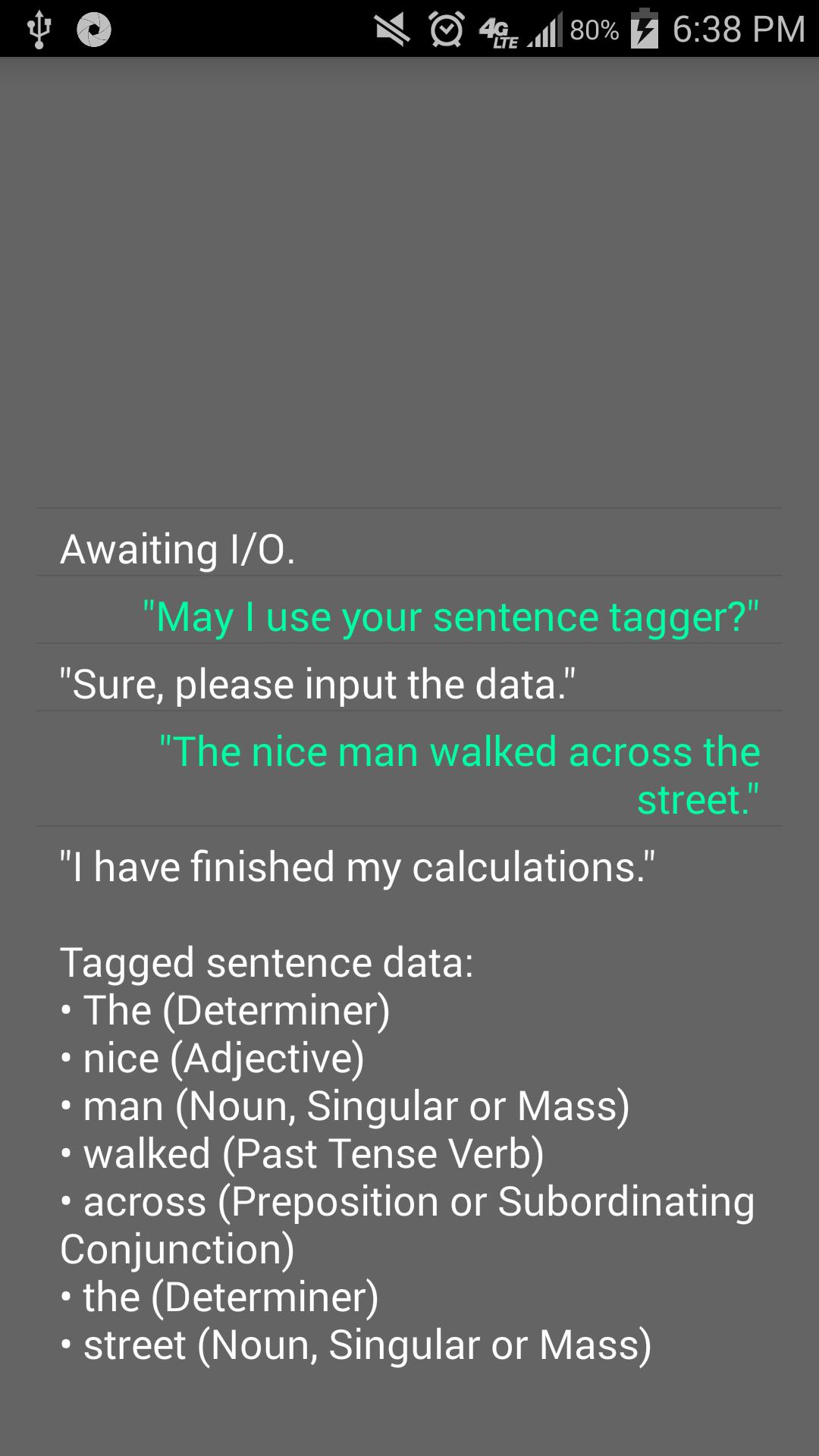
• Using her POS Tagger for personal uses
• Remembering quantitative amounts of basic statements
• Recalling and calculating data based on memorized statements
• Automated texting
• Automated calling
*Once you install AIDAN, you can press the menu button and tap the “About” button to see brief instructions.
*An internet connection is required the first time you start AIDAN; we recommend having high speed connectivity (such as 3G or 4G) when she runs her initial set-up. It will take two to three minutes to complete while connected to a high speed internet connection, but may vary.


Get free Primogems, Mora, Experience, and more with these November 2024 Genshin Impact codes, 5.1 livestream codes, and find out how to redeem active codes.
If you are bored with playing the vanilla version of Metaphor ReFantazio, you can check out these five mods.
Struggling with your submissions for Roblox's The Haunt event in 2024? Check out our guide on using Dress to Impress to create your captures!
Our walkthrough for Dragon Age: The Veilguard with some handy tips and tricks, with guides for puzzles, bosses, companions, equipment, romance, and more!
Which faction should you pick in Dragon Age: The Veilguard?
Looking for some bonus resources in Sea of Conquest: Pirate War? We’ve got you covered with these codes for the latest seafaring freebies.
On our website, you can easily download the latest version of AIDAN! No registration and SMS required!