 Offline

삼성 스마트 TV의 원격 제어. Please read the description how to use it.
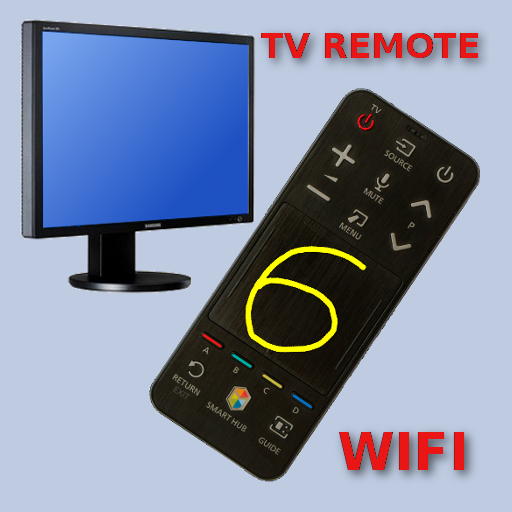
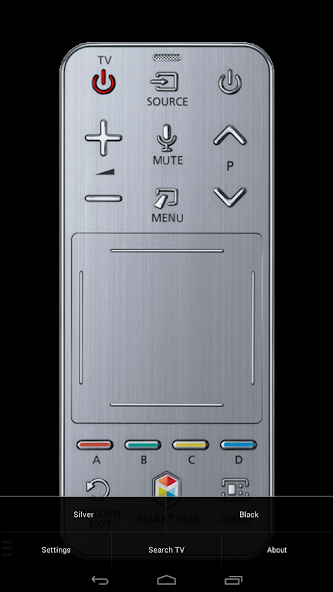
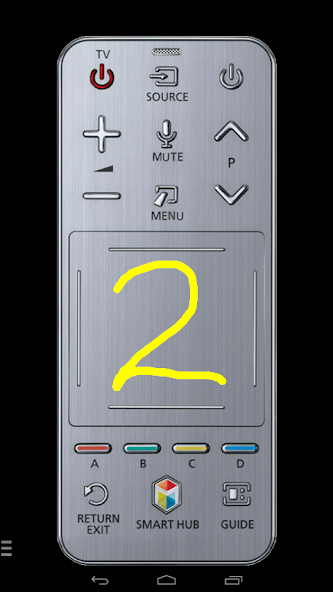
This is remote control app which allows you to control your Samsung Smart TV over the local network. It's similar to the Smart Touch bluetooth remote like TM1360A, but with the help of your phone/tablet it works also with older TV models which do not have touchpad. Short demos:
- 2016+ TV models: https://www.youtube.com/watch?v=S0xF2vc8Pbg
- 2009-2015 TV models: https://www.youtube.com/watch?v=zxBAkiQ4cqs
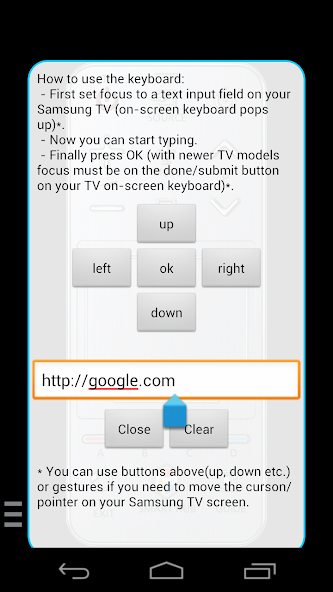
The purpose is not to replace the original remote, but it is handy in emergency situations (empty batteries, lost etc). This app has keyboard support that lets you type on your device and then send text to your TV. If your Smart TV does have LAN keyboard interface (not all do!), then it's far more convenient then the original solution (choose letters on the TV's screen one by one).
It should work with all smart TVs with network (LAN or WiFi) interface (I'm using it my F (2013) and N (2018) series TV).
★ CD Series (the function "Remote Control" in the settings of the TV must be enabled)! It's usuallly located at Menu -> System Settings. If there is no such setting, then sadly your TV does not support remote control over network.
★ EF Series Allshare and K Series MultiView (app must be set as allowed remote application in the Allshare/MultiView settings of the TV)! If this app connects to your TV on the first time, then you have to accept the message that appears on your TV. If you have refused the confirmation message on your TV ("accept device"), it is possible later to change your selection by going to: Menu -> Network -> AllShare Settings or Menu/Tools -> Network -> Expert Settings -> Mobile Device Manager.
Features like keyboard, touchpad and apps list are available on TV models which supports these features.
☆ Make sure your television and phone/tablet are connected to the same local network. This app will only work if your phone and TV are both on the same local network!
☆ First the app tries to find your TV. If it doesn't find it, then you can manually set the IP address of your TV in settings of this app. To see IP address of your TV go to TV's: (usually) Menu -> Settings -> Network or Menu -> Network -> Network Status.
☆ You don't need any external hardware.
☆ Phone/tablet does NOT need to have IR-balster.
☆ No full screen ads, no push notification ads or any kind similar annoying pop-up ads.
If this app doesn't work with your phone or TV, then feel free to e-mail me (your exact TV model). I can try to add support for your phone or/and Samsung TV model.
부인 성명:
This app is NOT affiliated with or endorsed by Samsung Group or by any other developers or companies.
2024 년 11 월 Genshin Impact 코드, 5.1 라이브 스트림 코드를 통해 무료 Primogems, Mora, Experience 등을 받고 활성 코드를 사용하는 방법을 찾으십시오.
Vanilla 버전의 Metaphor Refantazio를 연주하는 것이 지루하다면이 5 가지 모드를 확인할 수 있습니다.
2024 년 Roblox의 The Haunt 이벤트 제출에 어려움을 겪고 있습니까? 드레스를 사용하여 캡처를 만들기 위해 인상적인 가이드를 확인하십시오!
Dragon Age에 대한 우리의 연습 : 퍼즐, 보스, 동반자, 장비, 로맨스 등에 대한 가이드가있는 편리한 팁과 요령이있는 베일 가드!
Dragon Age : The Veilguard에서 어떤 진영을 선택해야합니까?
정복의 바다에서 보너스 자원을 찾고 있습니다 : 해적 전쟁? 최신 항해 공짜를위한이 코드를 다루게되었습니다.
저희 웹사이트에서 Touchpad remote for Samsung TV의 최신 버전을 쉽게 다운로드하실 수 있습니다! 등록이나 SMS가 필요 없습니다!